Workflow Automation
Training Automation for Thinkific
Build no-code automation rules that react to learner events in real time — auto-enroll on course completion, reclaim expired seats, sync completions to your CRM, and remove the manual admin tax from your B2B training operation.
Key Benefits
- Event-Driven Triggers
- Fire automations the moment a learner completes a course, passes a quiz, finishes a lesson, or is created — no scheduled jobs or manual checks required.
- No-Code Rule Builder
- Compose conditions with AND/OR logic and a friendly field picker. Build sophisticated rules without writing a line of code or touching the API.
- Powerful Actions
- Enroll or unenroll learners in courses, add or remove them from groups, and send signed webhooks to external systems — chain multiple actions per rule.
- Precise Fire Control
- Choose once-per-user or once-per-course firing so a rule runs exactly when it should — never double-enrolling or spamming downstream systems.
- Full Run History
- Every automation run is logged with status, the learner involved, and the reason — so you can audit, debug, and prove exactly what happened and when.
- Conditions That Respect Your Data
- Target rules by course, quiz score, group membership, and more — the condition fields adapt to the trigger you choose so rules stay relevant.
Real-World Automation Use Cases
Every B2B training program runs the same repetitive tasks over and over. Here is how teams use automations to eliminate them.
Build Learning Paths
When a learner completes "Onboarding 101", then auto-enroll them in "Onboarding 201". Sequential courses unlock automatically — no admin needed to advance learners through a path.
Reclaim Expired Seats
When an enrollment expires on a reusable seat, then free it for the next learner. Your seat pool stays accurate and you stop paying for access nobody uses.
Certify by Quiz Score
When a learner scores 80%+ on the certification exam, then add them to the "Certified" group and enroll them in advanced content reserved for graduates.
Sync Completions to Your CRM
When a course is completed, then send a signed webhook to HubSpot, Salesforce, or your data warehouse. Completion data flows to the systems your revenue team already lives in.
Auto-Provision New Hires
When a user is created, then enroll them in mandatory compliance courses and add them to their department group — onboarding starts the second the account exists.
Gate Advanced Content
When a prerequisite lesson is completed, then enroll the learner in the next module. Content is released just in time, keeping learners focused and motivated.
How to Build a Training Automation in B2B Dashboard
Create a no-code automation that reacts to a learner event and runs one or more actions, in five steps.
What You'll Need
- A B2B Dashboard account
- A connected Thinkific site
- Admin access with the manage automations permission
Create a new automation
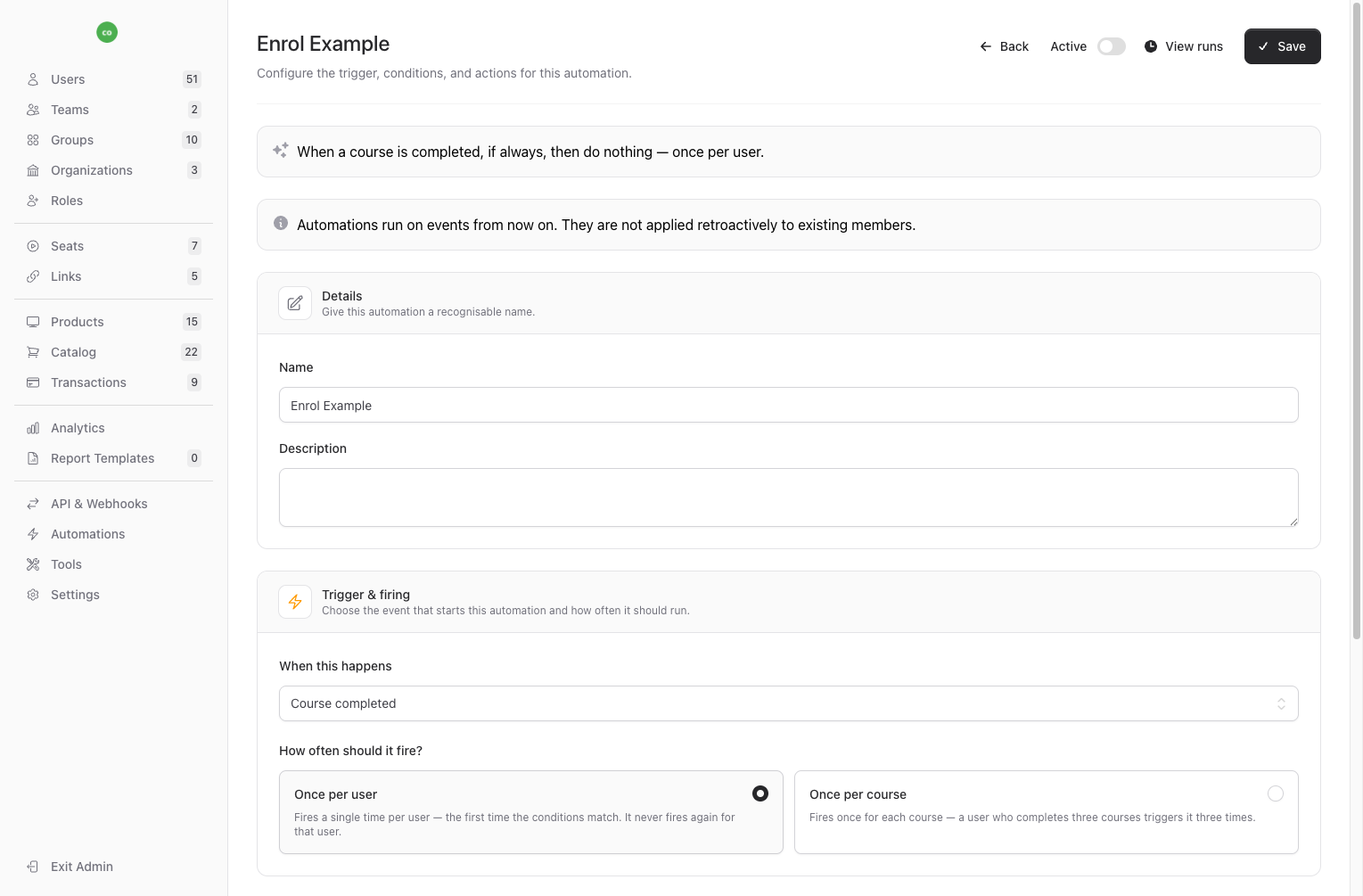
From the admin panel, open Automations and click New Automation. Give it a recognisable name and pick the trigger event — course completion, quiz attempt, lesson completion, or user creation.
Choose how often it fires
Select once-per-user to run a single time per learner, or once-per-course to run again for each different course, quiz, or lesson. This prevents duplicate enrollments and downstream noise.
Add conditions
Use the field picker to narrow when the rule runs — by course, quiz score, group, and more. Combine conditions with AND/OR logic, or leave it empty to run on every matching event.
Add actions
Choose what happens when the rule matches: enroll or unenroll in courses, add or remove from groups, or send a signed webhook. Add as many actions as the workflow needs.
Activate and monitor
Toggle the automation on. It runs on events from that point forward. Review the run history to confirm each execution, the learner involved, and the outcome.
Estimated time: 10 minutes
Frequently Asked Questions
- What is training automation?
- Training automation lets you define rules that automatically run actions in response to learner events. Instead of an admin manually enrolling learners, moving them between groups, or exporting completion data, B2B Dashboard reacts to events like course completions and quiz scores and performs those actions for you in real time.
- Do I need to write code to build automations?
- No. Automations are built entirely through a no-code rule builder. You pick a trigger event, compose conditions with a visual field picker and AND/OR logic, and choose actions from a menu. The REST API is available if you want to manage automations programmatically, but it is never required.
- What events can trigger an automation?
- Automations can be triggered by course or enrollment completion, quiz attempts (including by score), lesson completion, and user creation. The available condition fields adapt to the trigger you select so your rules always stay relevant.
- What actions can an automation perform?
- A single automation can enroll learners in courses, unenroll them, add or remove them from groups, and send signed webhooks to external systems such as your CRM or data warehouse. You can chain multiple actions in one rule to model complete workflows.
- Are automations applied retroactively to existing learners?
- No. Automations run on events going forward from the moment you activate them. They are not applied retroactively to learners who already met the conditions, which keeps behaviour predictable and prevents accidental mass enrollments.
- Can I see what an automation did?
- Yes. Every automation run is logged with its status, the learner involved, and the reason it ran or was skipped. This run history makes it easy to audit, debug, and demonstrate compliance for your training operation.
Related Features
Ready to streamline your training management?
Get started with B2B Dashboard and take control of your Thinkific training programs today.