Curate Your Training
Course Catalog Management
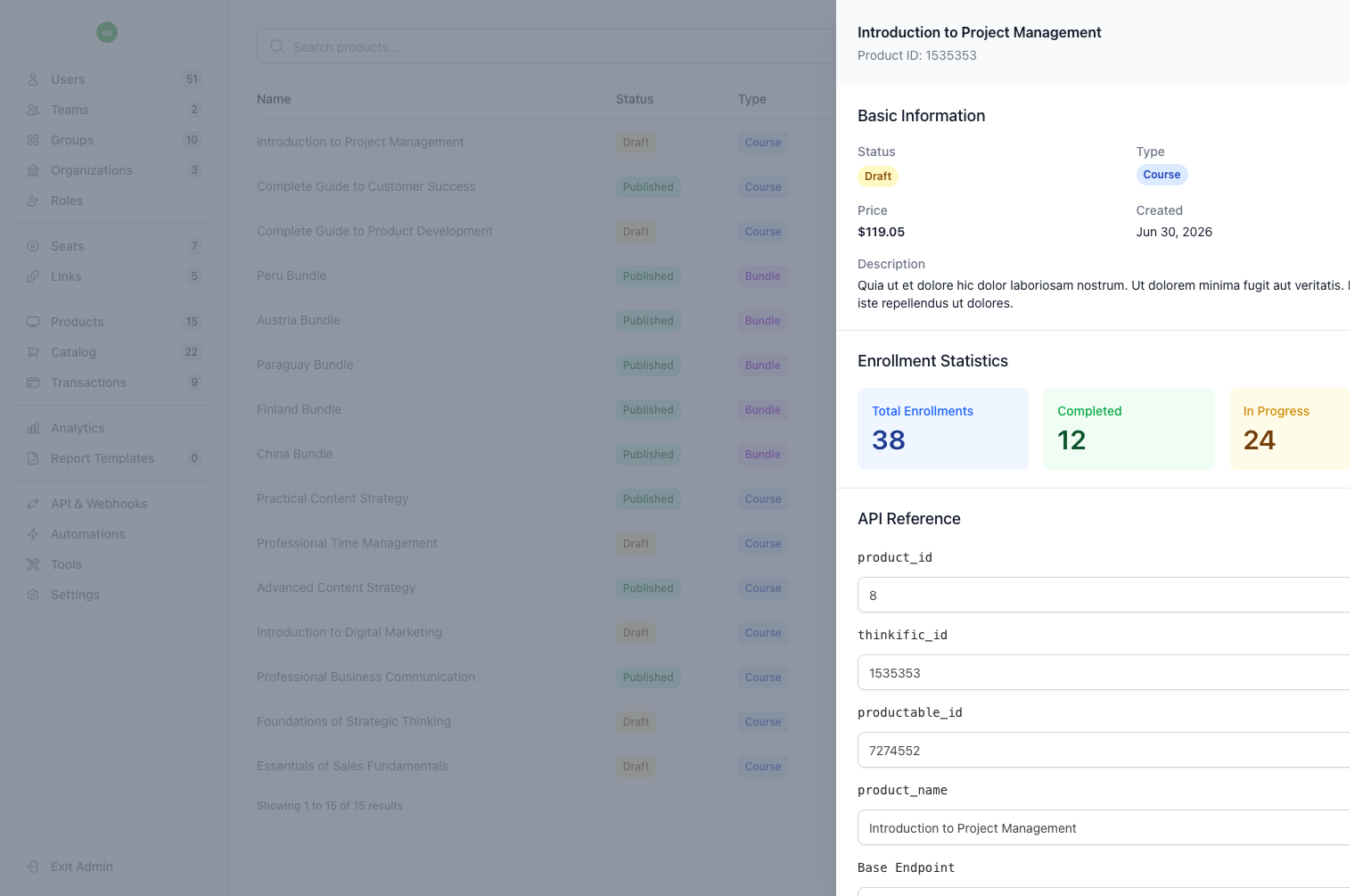
Create and manage a curated training catalog. Assign catalog items to specific teams and organizations, control visibility, and let team members browse available courses.
Key Benefits
- Catalog Item Creation
- Create catalog items from your synced Thinkific products. Add custom descriptions, images, and metadata.
- Team Assignment
- Assign catalog items to specific teams. Control which teams can see and access each training program.
- Organization Assignment
- Assign at the organization level to make catalog items available to all teams within an organization.
- Catalog Analytics
- Track how catalog items are performing with built-in analytics per item.
- Transaction Tracking
- Monitor catalog item orders and transactions across teams with a dedicated transaction view.
Frequently Asked Questions
- What is the course catalog feature?
- The course catalog is a curated library of your Thinkific training programs that you can organize and distribute to specific teams and organizations. Unlike Thinkific's native catalog, B2B Dashboard's catalog allows granular control over which learners see which courses, making it perfect for B2B scenarios where different clients or departments need access to different training content.
- How do I add courses to the catalog?
- Courses are automatically imported from your connected Thinkific site. Once synced, you can enhance each course with custom descriptions, images, and metadata in the B2B Dashboard catalog manager. You can also organize courses into categories and collections to make browsing easier for your learners.
- Can I restrict catalog access by team?
- Absolutely. Catalog visibility can be controlled at both the team and organization level. When you assign a catalog item to a team, only members of that team can see and enroll in that course. This is essential for B2B training where different clients should only see the content relevant to them.
- How do catalog analytics work?
- Each catalog item includes analytics showing views, enrollments, completions, and revenue (if applicable). You can see which courses are most popular, identify underperforming content, and track catalog engagement across different teams and organizations. This data helps you optimize your training offerings.
- Can learners browse the catalog self-serve?
- Yes, learners can browse the catalog through their team portal and self-enroll in available courses (subject to seat availability). The catalog view is filtered to show only courses assigned to their team or organization, ensuring they only see relevant training options.
Related Features
Ready to streamline your training management?
Get started with B2B Dashboard and take control of your Thinkific training programs today.