Monitor Training
Enrollment & Progress Tracking
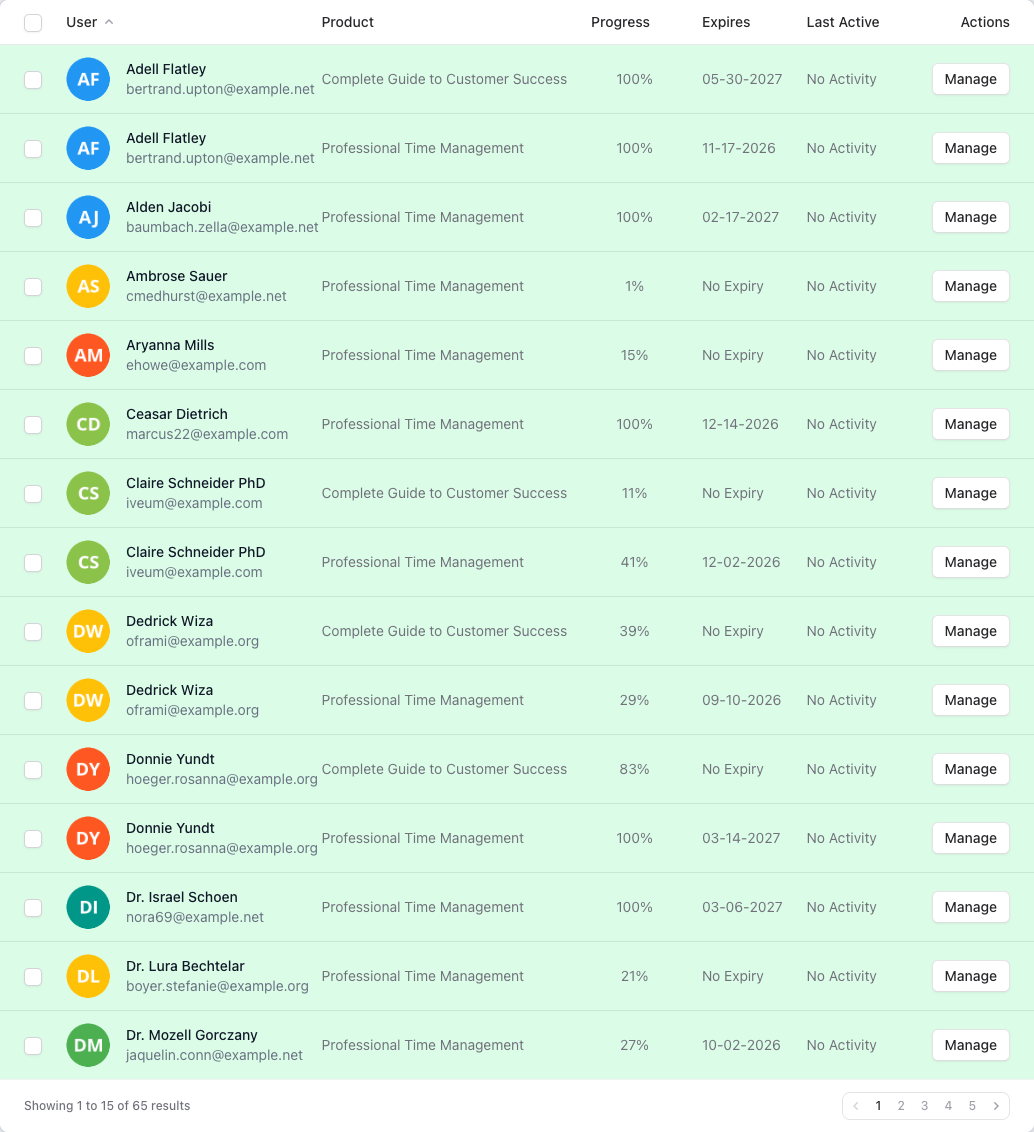
Get real-time visibility into every student's progress. Track enrollments, course completions, and certificate status across all your teams and organizations.
Key Benefits
- Per-User Progress
- View detailed enrollment data for each student including percentage complete, start date, and completion date.
- Team-Wide Visibility
- See enrollment status across entire teams at a glance. Quickly identify who has started, who is in progress, and who has completed.
- Automatic Sync
- Enrollment data syncs automatically from Thinkific. No manual data entry or CSV uploads needed.
- Completion Tracking
- Track exactly when each course was completed and whether a certificate was issued.
- Filterable Views
- Search and filter enrollments by user, course, team, completion status, and date range.
Frequently Asked Questions
- What enrollment data does B2B Dashboard track?
- B2B Dashboard tracks comprehensive enrollment data including enrollment date, course start date, current progress percentage, completion status, completion date, and certificate issuance. This data syncs automatically from Thinkific, giving you a complete view of learner engagement across all your training programs.
- How is progress percentage calculated?
- Progress percentage is calculated based on the ratio of completed course content to total course content. As learners progress through chapters, lessons, and quizzes in Thinkific, their completion percentage updates automatically in B2B Dashboard. This gives administrators real-time visibility into learner engagement without requiring manual status updates.
- Can I see which courses a user has completed?
- Yes, each user profile shows a complete history of their course enrollments and completions. You can view their entire learning journey, including certificates earned, completion dates, and progress on current courses. This information is invaluable for performance reviews, compliance tracking, and identifying learners who may need additional support.
- How far back does enrollment history go?
- B2B Dashboard maintains a complete history of all enrollments from the moment you connect your Thinkific site. Historical enrollments that existed before connection are imported during the initial sync. There's no time limit on enrollment history retention, making it perfect for long-term compliance tracking and audit purposes.
- Can I export enrollment data?
- Absolutely. Enrollment data can be exported to Excel format for further analysis, reporting to stakeholders, or integration with other systems. You can filter exports by date range, team, course, or completion status to get exactly the data you need. Exports include all enrollment details including progress percentages and completion dates.
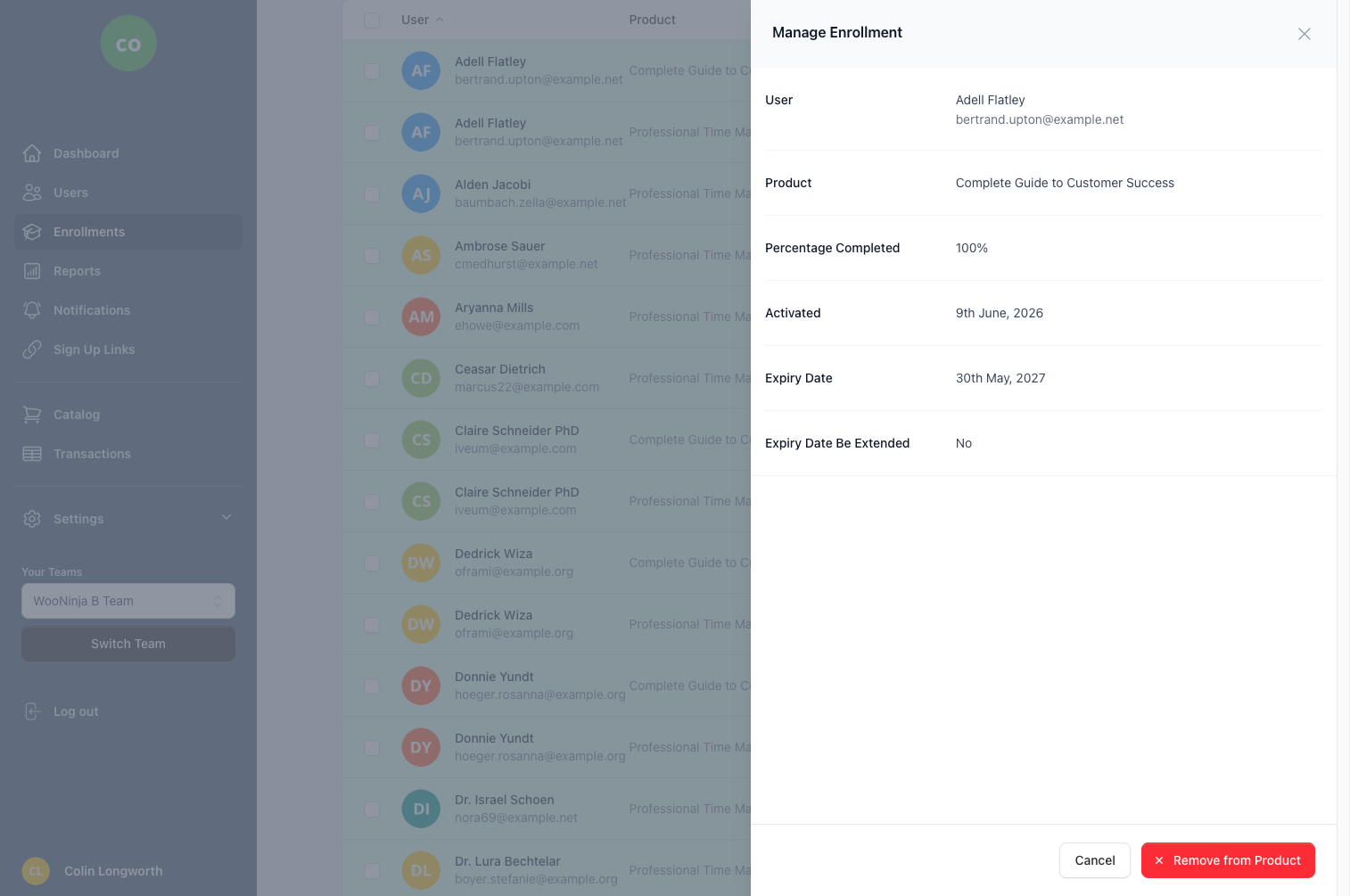
Manage Individual Enrollments
Related Features
Ready to streamline your training management?
Get started with B2B Dashboard and take control of your Thinkific training programs today.